Auto Top-up Ad Account Balance
Auto top-up to your ad account is a feature allowing you to set a threshold and the amount you want our platform to transfer to your ad account balance automatically.
This feature is only applied for the active ad account.
1. Auto Top-Up Benefits
-
Continuous Campaigns: No more pausing of ads due to low funds.
-
Time-Saving: Set it once, and never worry about manual top-ups again.
-
Customizable: Fully control your funding threshold and amounts to fit your budget.
2. How to auto top-up your ad account balance
-
On Payment tab or My ad account tab.
-
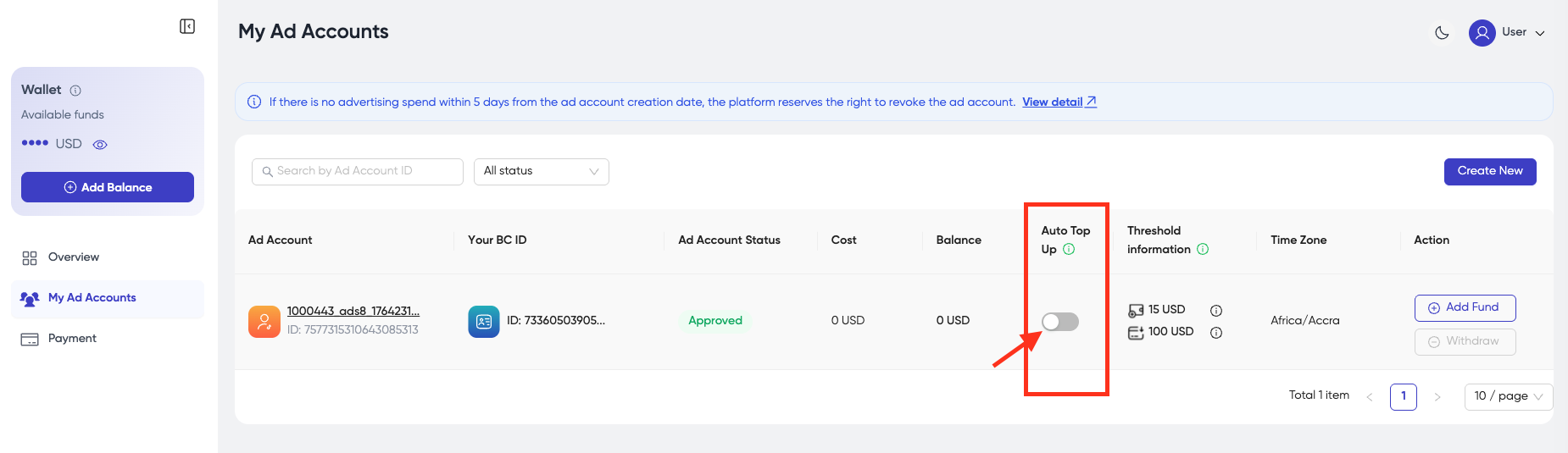
From the account you want to turn on this feature, click toggle On on the Auto top-up column.
-
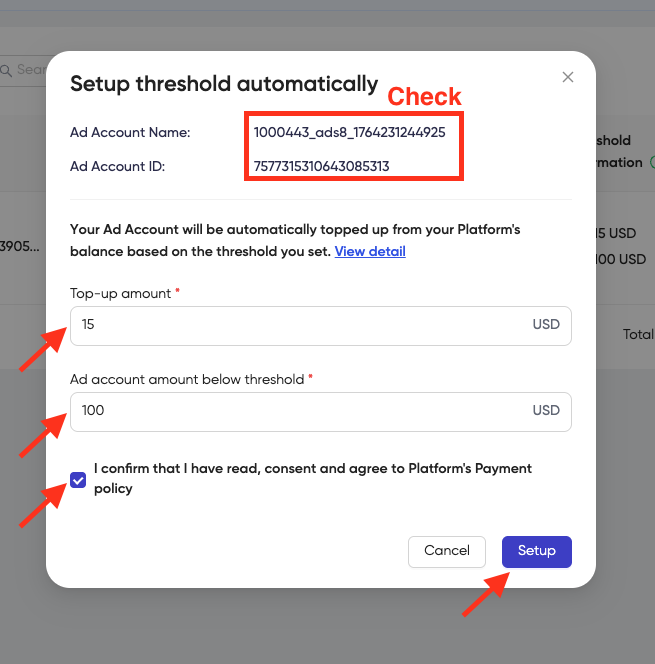
Set up the amount that will be transferred to your ad account when it reaches your setting threshold.
-
Tick the box I confirm that I have read the content and agree to Platform's Payment Policy.
-
Click Setup to complete your setting.
For regular user:
- Top-up amount: minimum $10, maximum $10,000.
- Ad account amount below threshold: minimum $5, maximum $10,000.
For user from METAP countries (Oman, Bahrain, Qatar, Kuwait, Saudi Arabia, UAE, Egypt, Morocco, Lebanon, Jordan, Iraq, Turkey, South Africa, and Pakistan)
- Top-up amount: minimum $20, maximum $10,000.
- Ad account amount below threshold: minimum $5, maximum $10,000.
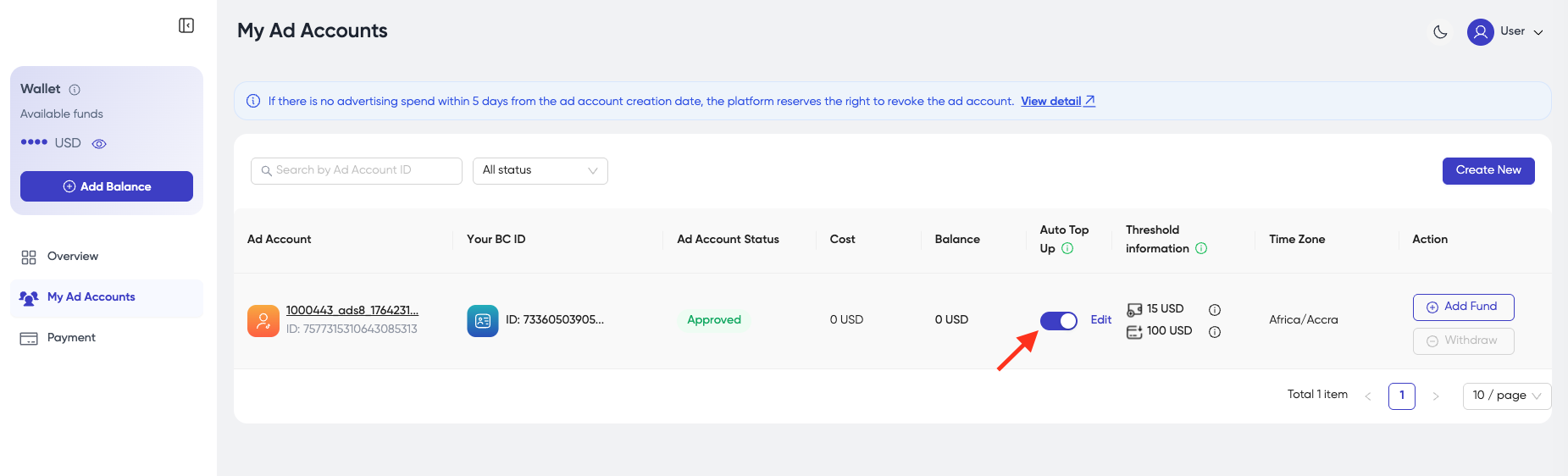
- In case you want to turn this feature off, please turn the toggle off.
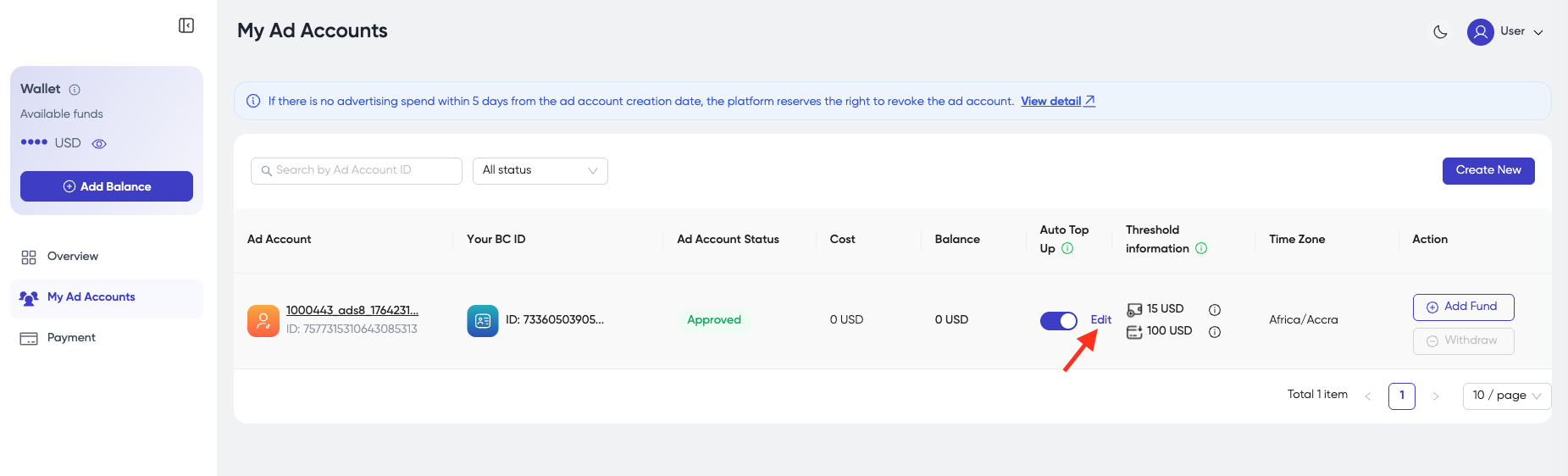
- Click Edit in case you want to edit your auto top-up setting.
- You will receive an email with the confirmation that your ad account balance is added funds an amount as your setting in case of a successful transfer.
- You will also receive an email to inform you of your insufficient balance if your balance is lower than the amount set. Please check it and top-up your Platform account as soon as possible so that this feature is still active and has no impact on your ad delivery.