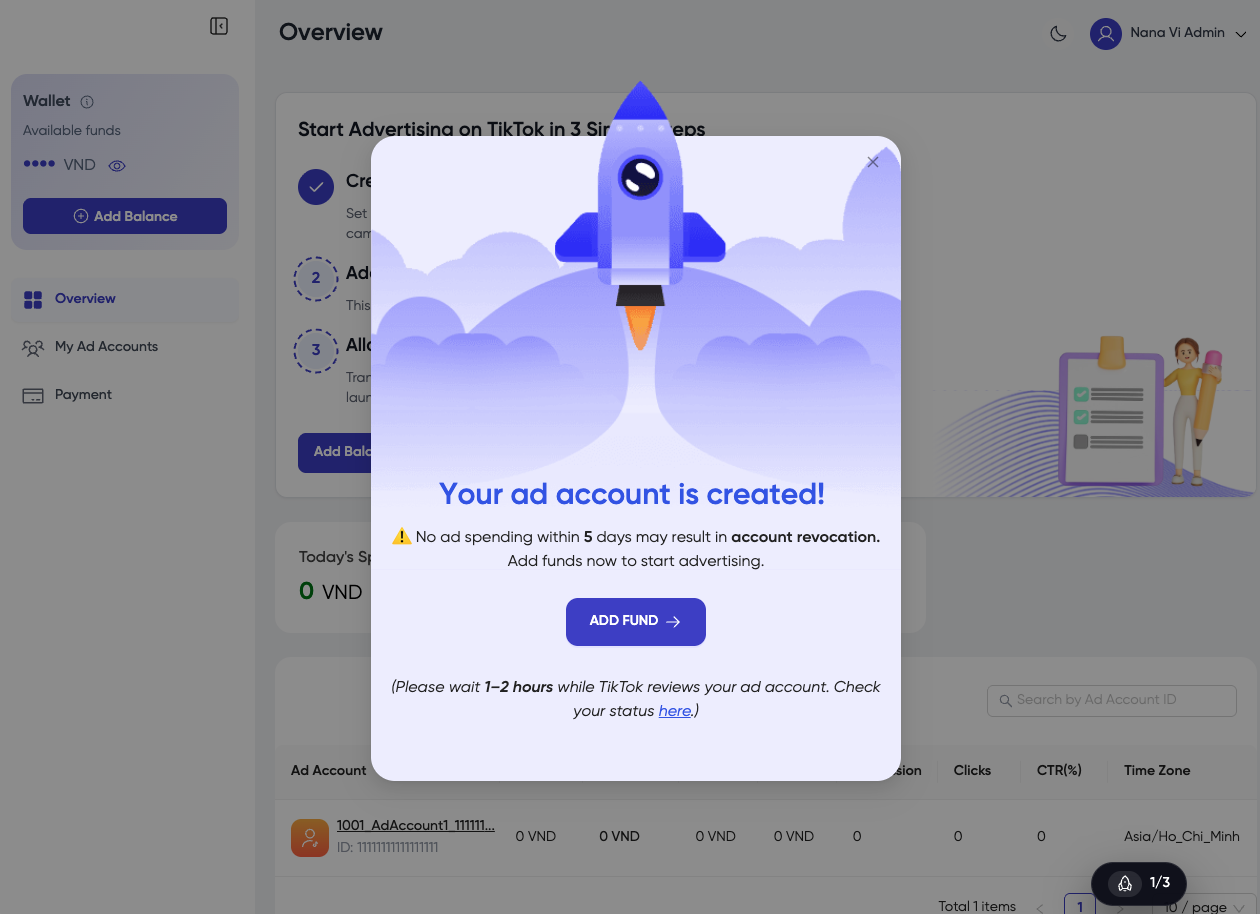
Step 2: Get TikTok Agency Ad Account
Guide to Getting a TikTok Agency Ad Account.
Once you have successfully registered a Platform account, you can proceed to obtain a TikTok Agency Ad Account. The following steps will guide you through the process of creating and setting up your Ad Account.
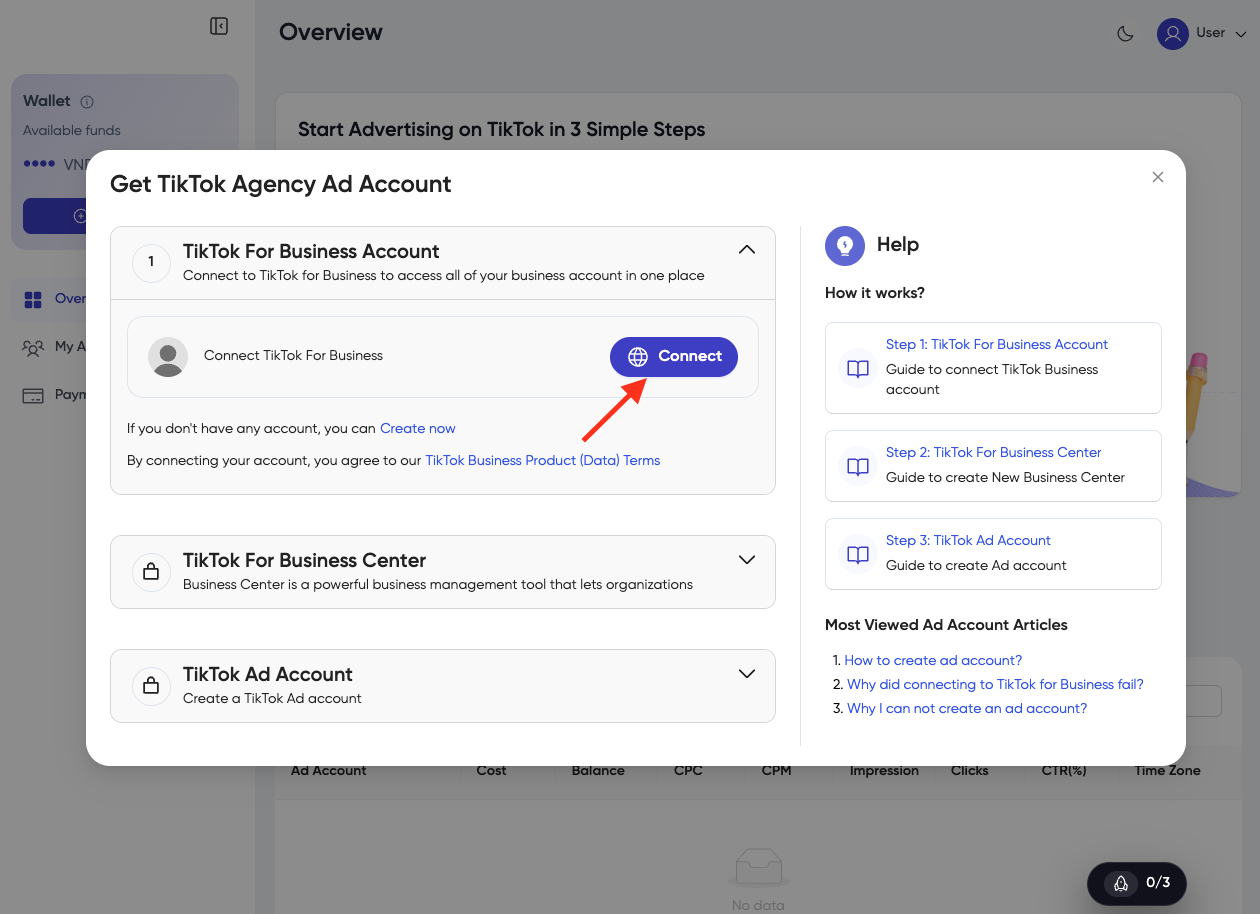
1. Connect TikTok for Business Account
- Click the button Connect to connect with your TikTok for Business. (If you don't have any TikTok for Business, you can create one by clicking Create now.)
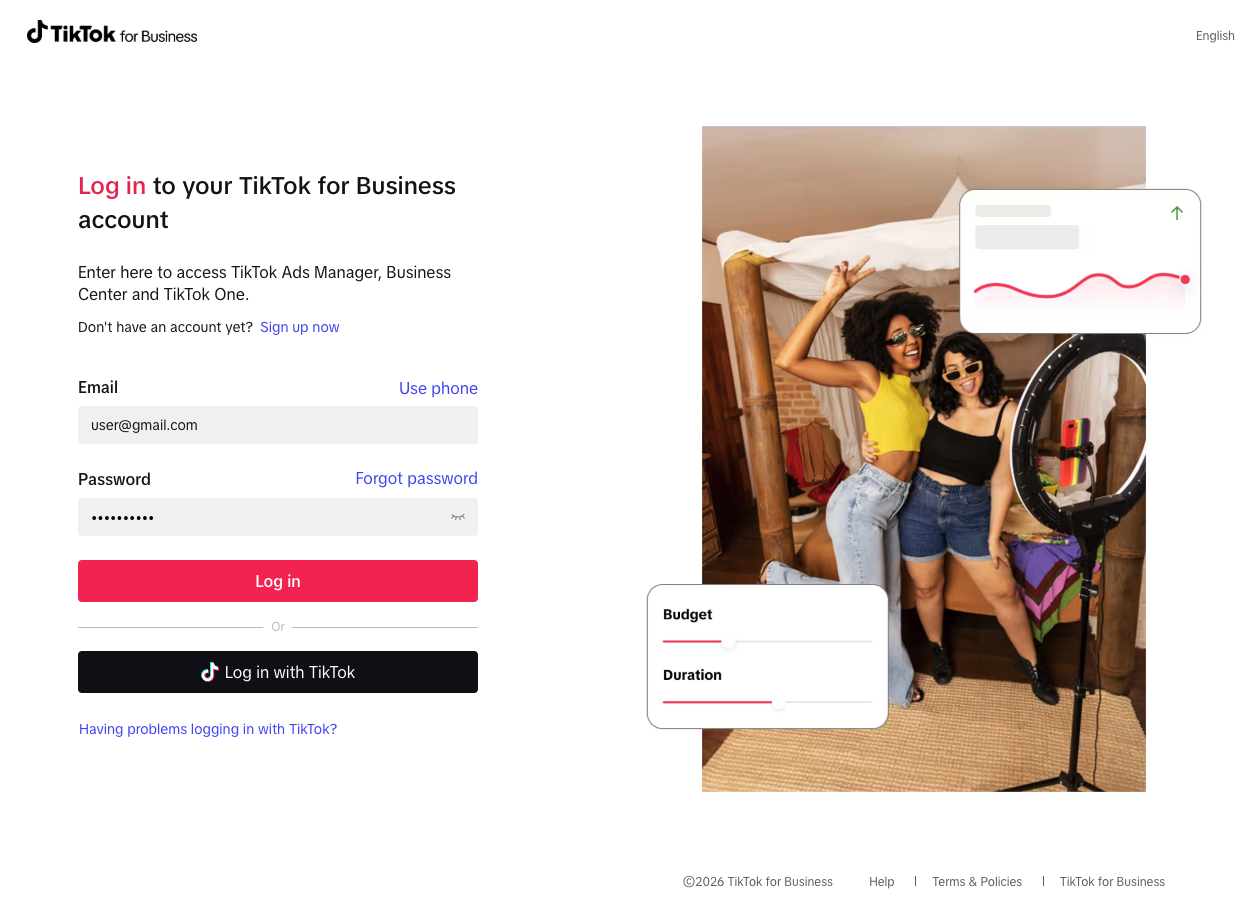
- Enter the email and password of your TikTok for Business account and click Log in.
-
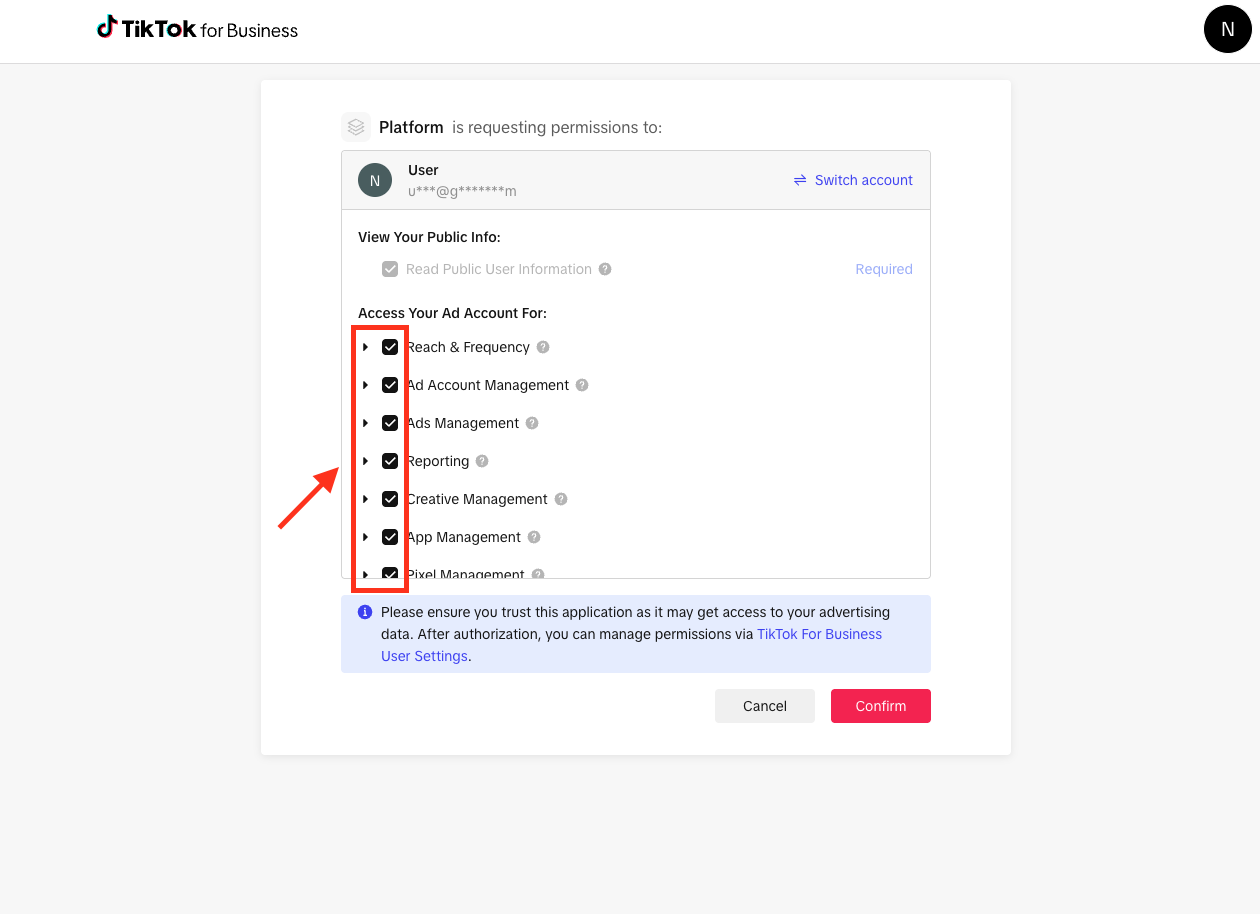
Agree to terms and permissions related to your TikTok ad account.
-
Click Confirm.
-
Successful connection.
-
After successfully connecting, the system automatically proceeds to the next step.
2. Connect TikTok for Business Center
- Select an existing BC to connect
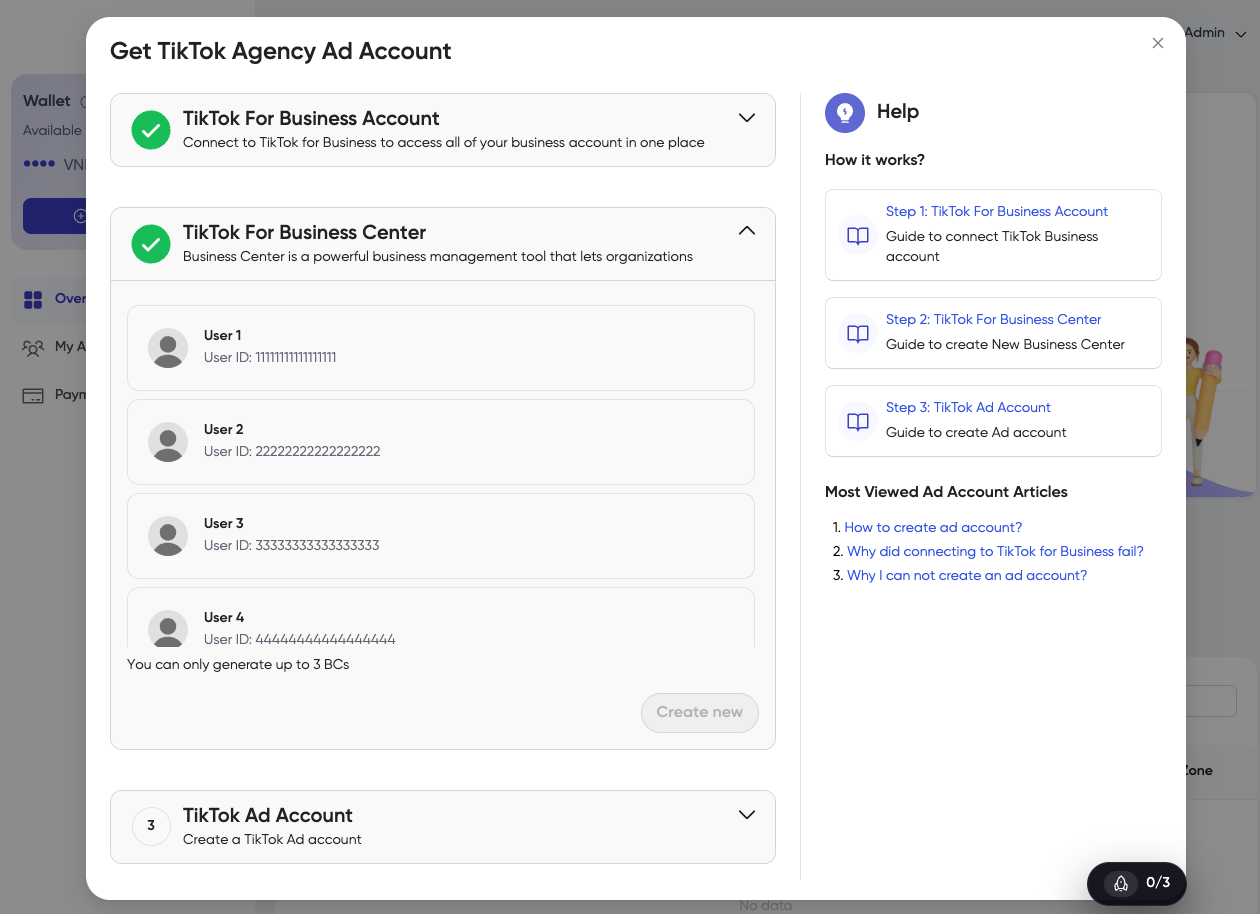
- Click Create New to create a new account.
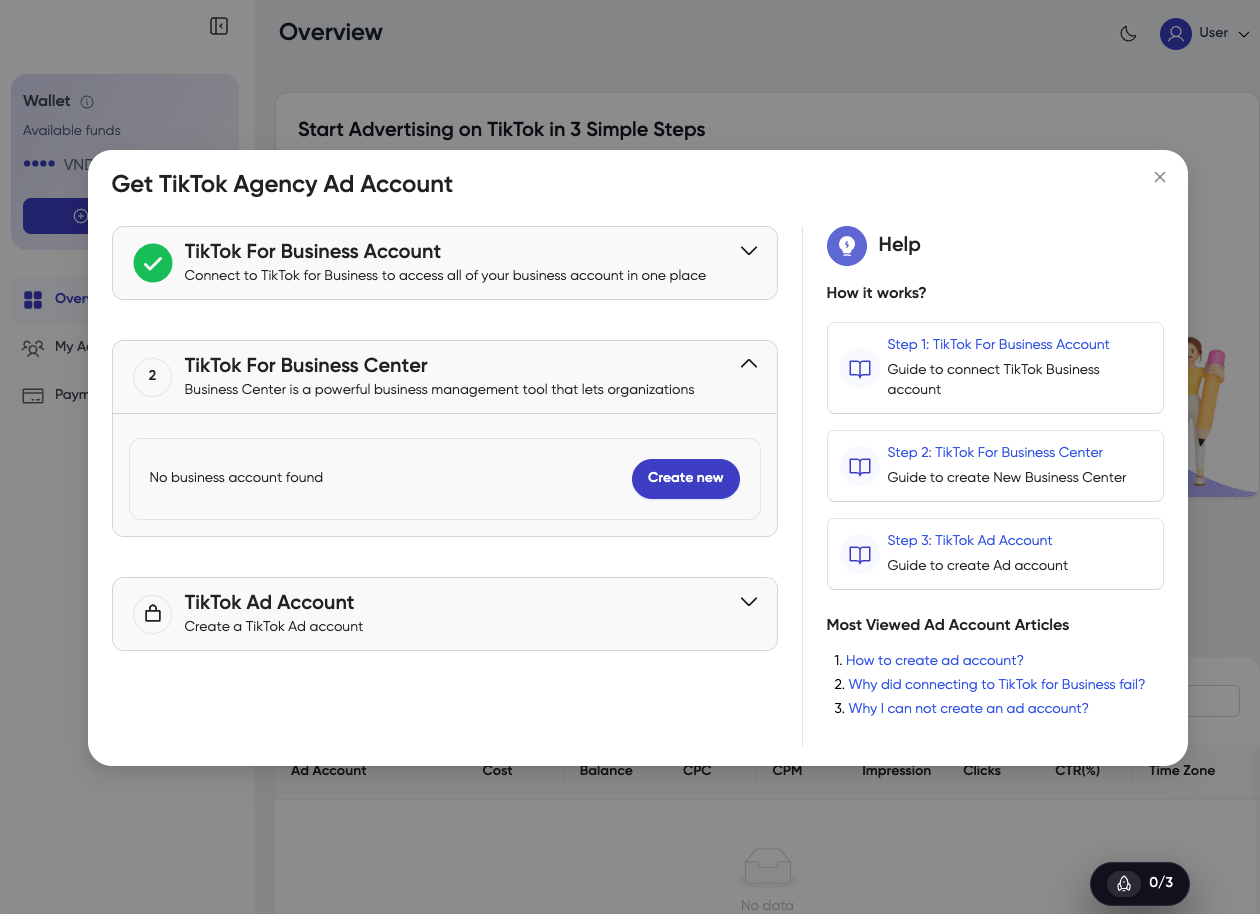
-
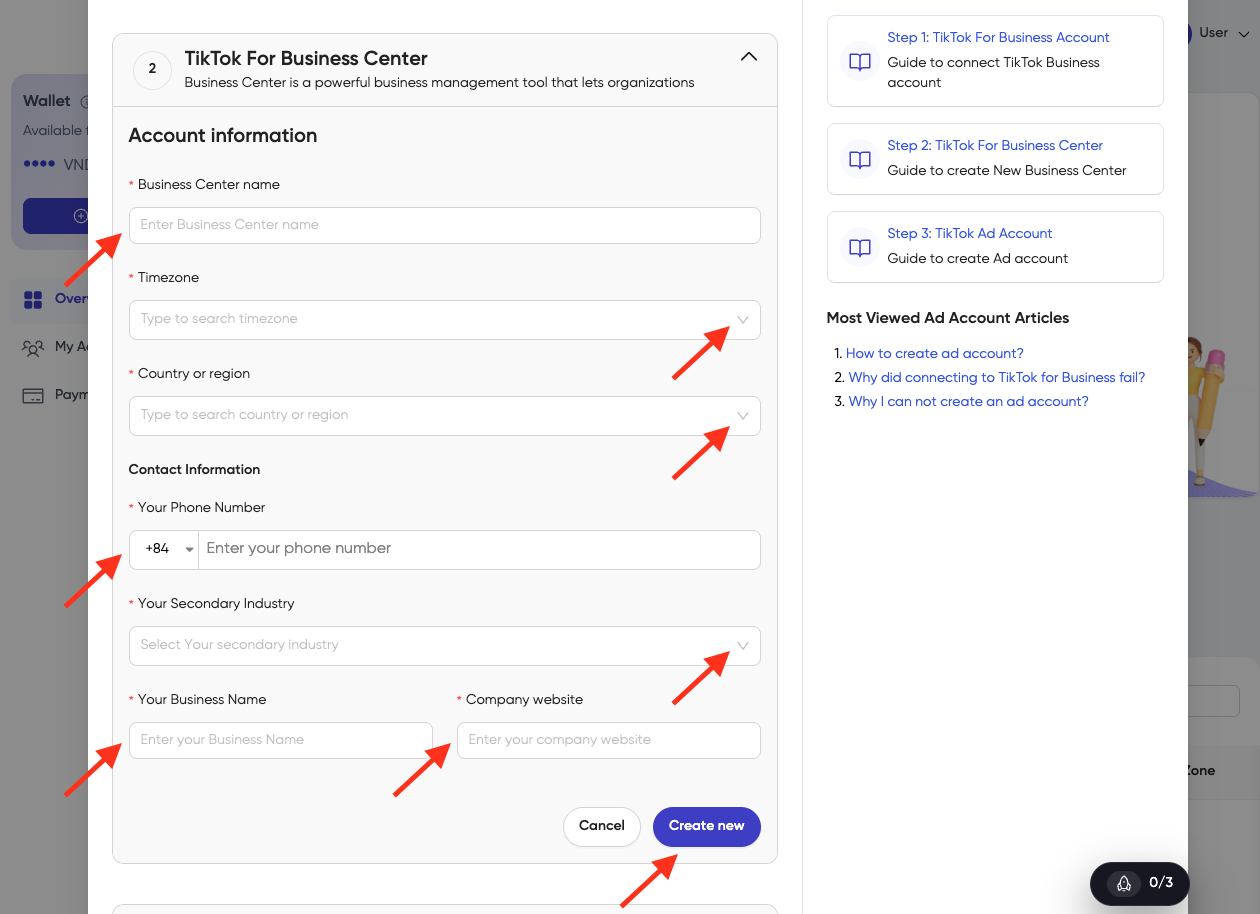
Fill in the account information:
- Business Center name
- Country or region
- Contact information – Your Phone Number, Your Secondary Industry, Your Business Name, Company Website
-
Click Create Now.
- NOTE
If the TikTok for Business account has 3 or more Business Centers, you cannot create a new Business Center. Please select one of the existing Business Centers.
- After successfully connecting, the system automatically proceeds to the next step.
3. Create TikTok Ad Account
-
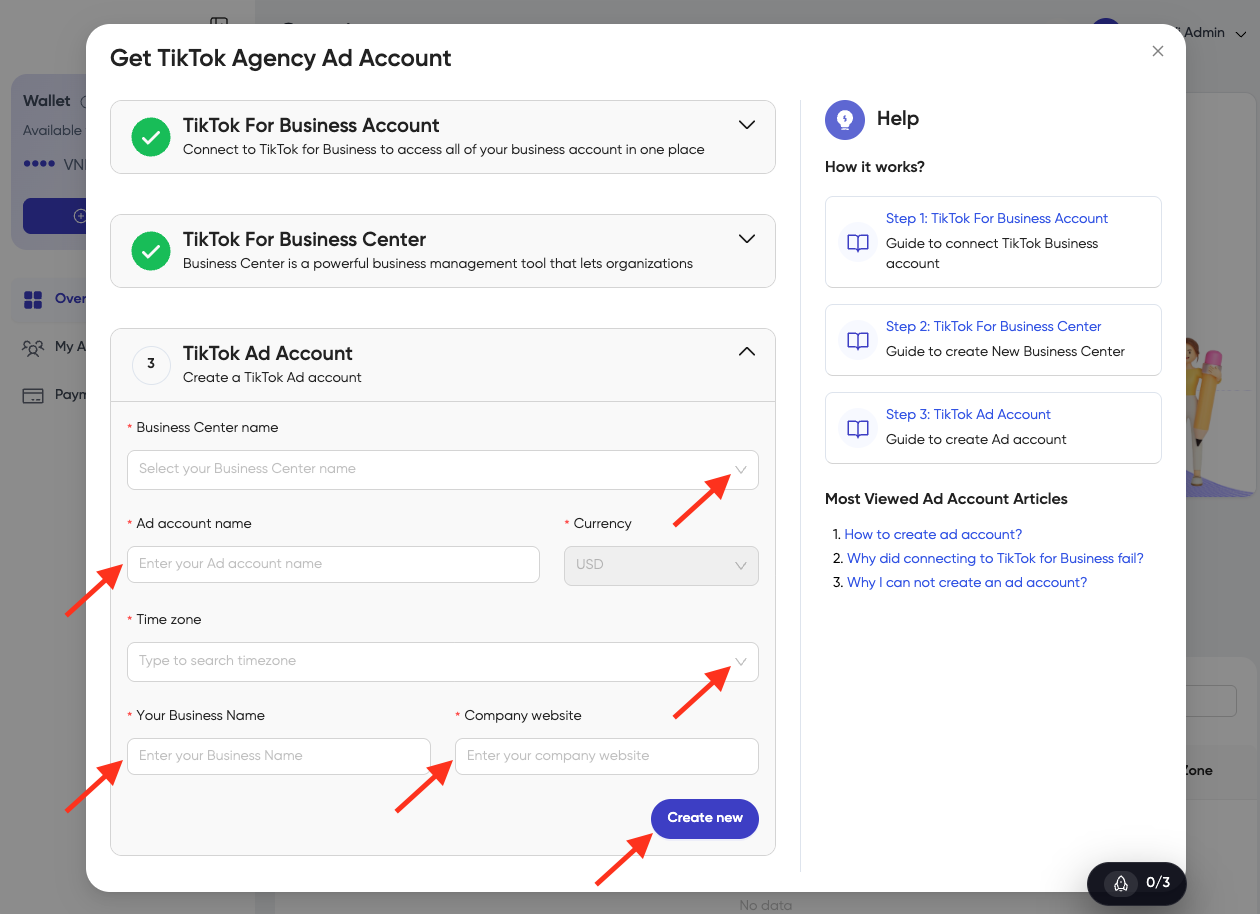
Fill in the Business information:
- Click on the dropdown on Business Center Name to select Business Center
- Enter your Ad Account Name
- Click on the dropdown on Time Zone to select a Time Zone
- Your Business Name
- Company Website
-
Click on the button Create new
- Your ad account has been created successfully!