Credit Card
Payment process via Credit Card.
-
Select the Add Balance button and select Credit Card as your payment method.
-
Supported cards include Visa, Mastercard, American Express (Amex), Discover, and other eligible card types.
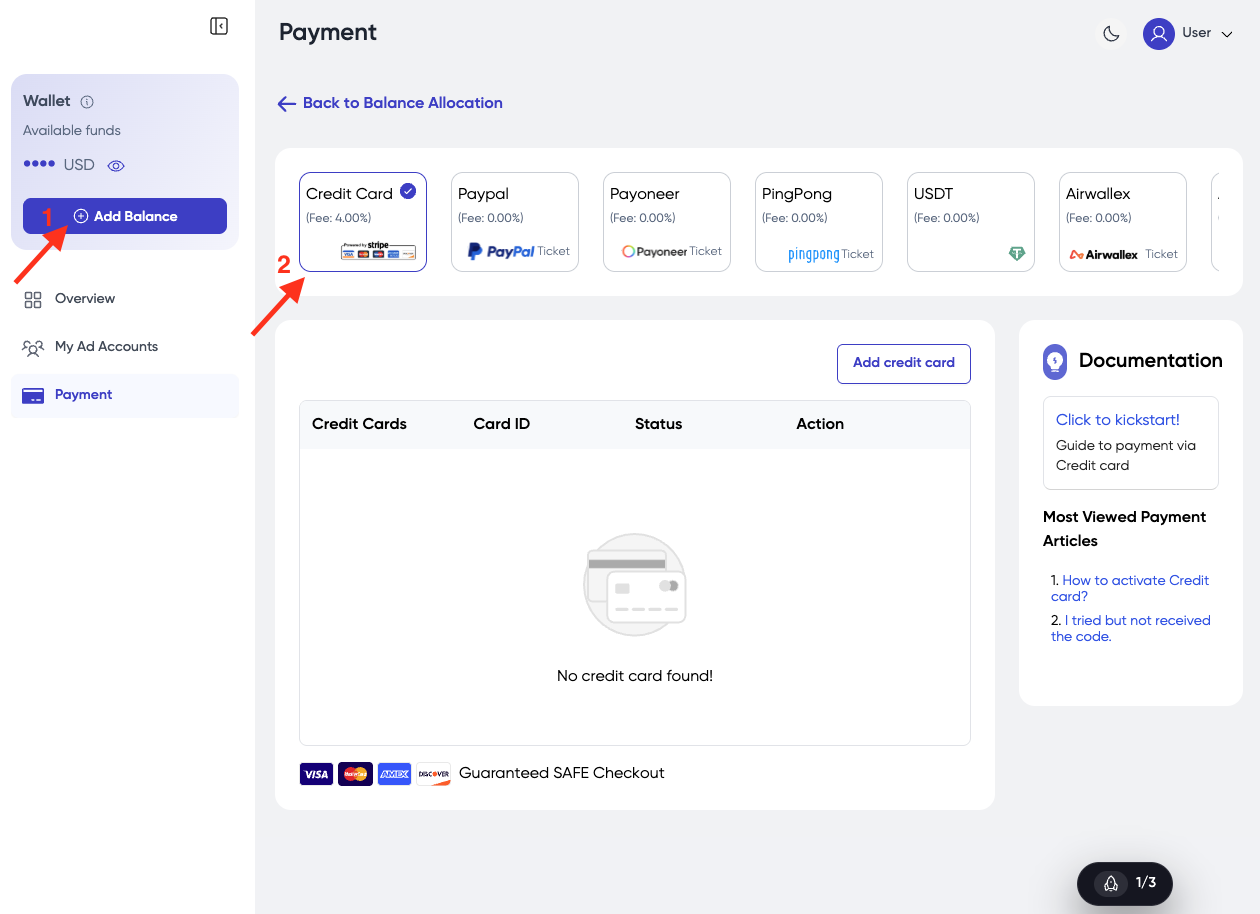
1. Add Credit Card
- If no card has been added yet, click Add Credit Card to add a new payment method.
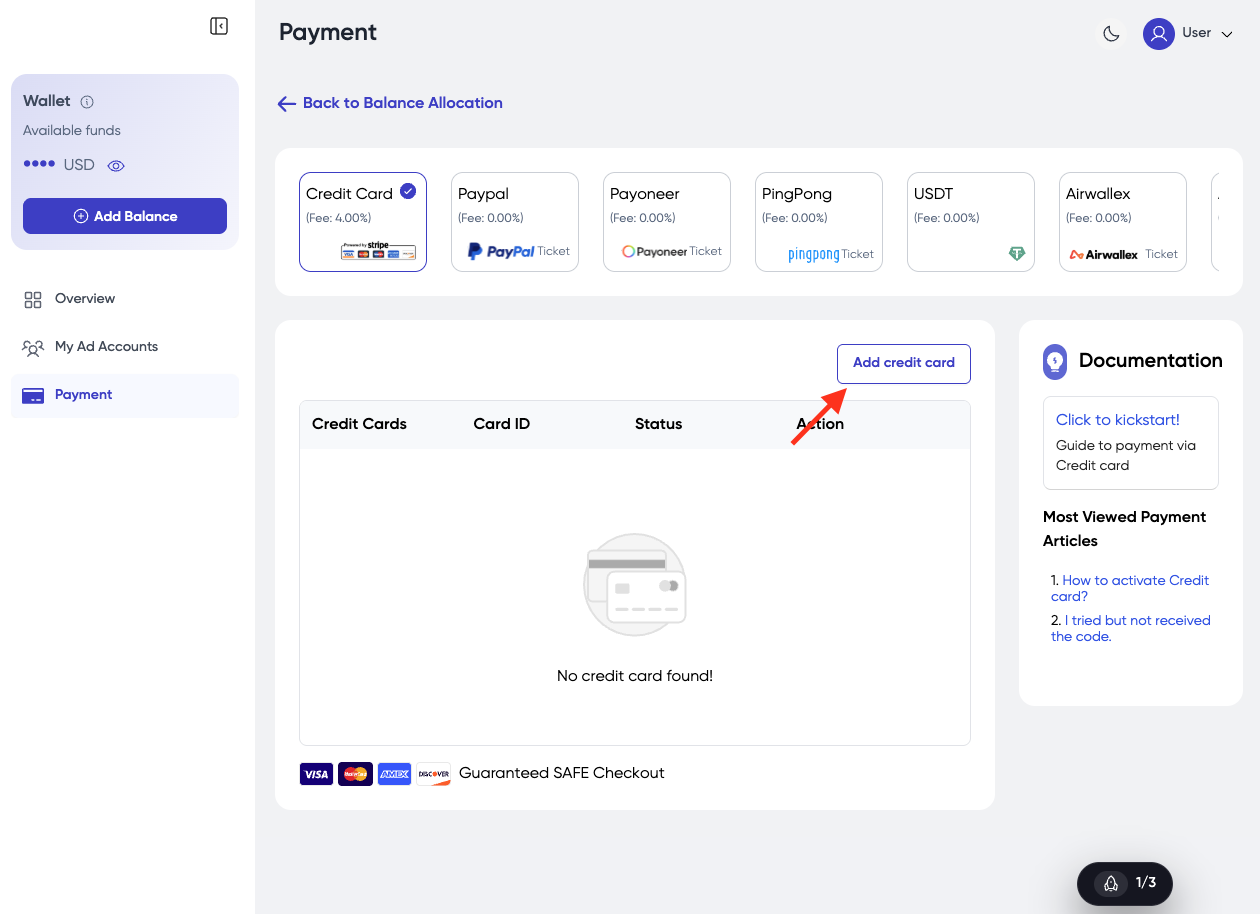
-
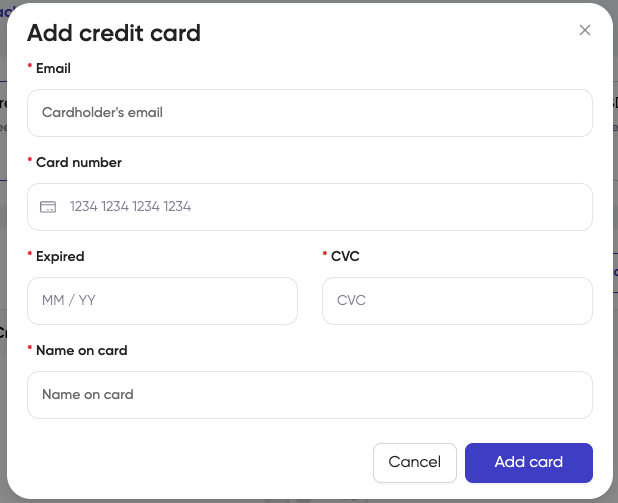
Fill in information:
- Card Number
- Expired
- CVC
- Name on Card
-
Click the button Add Card.
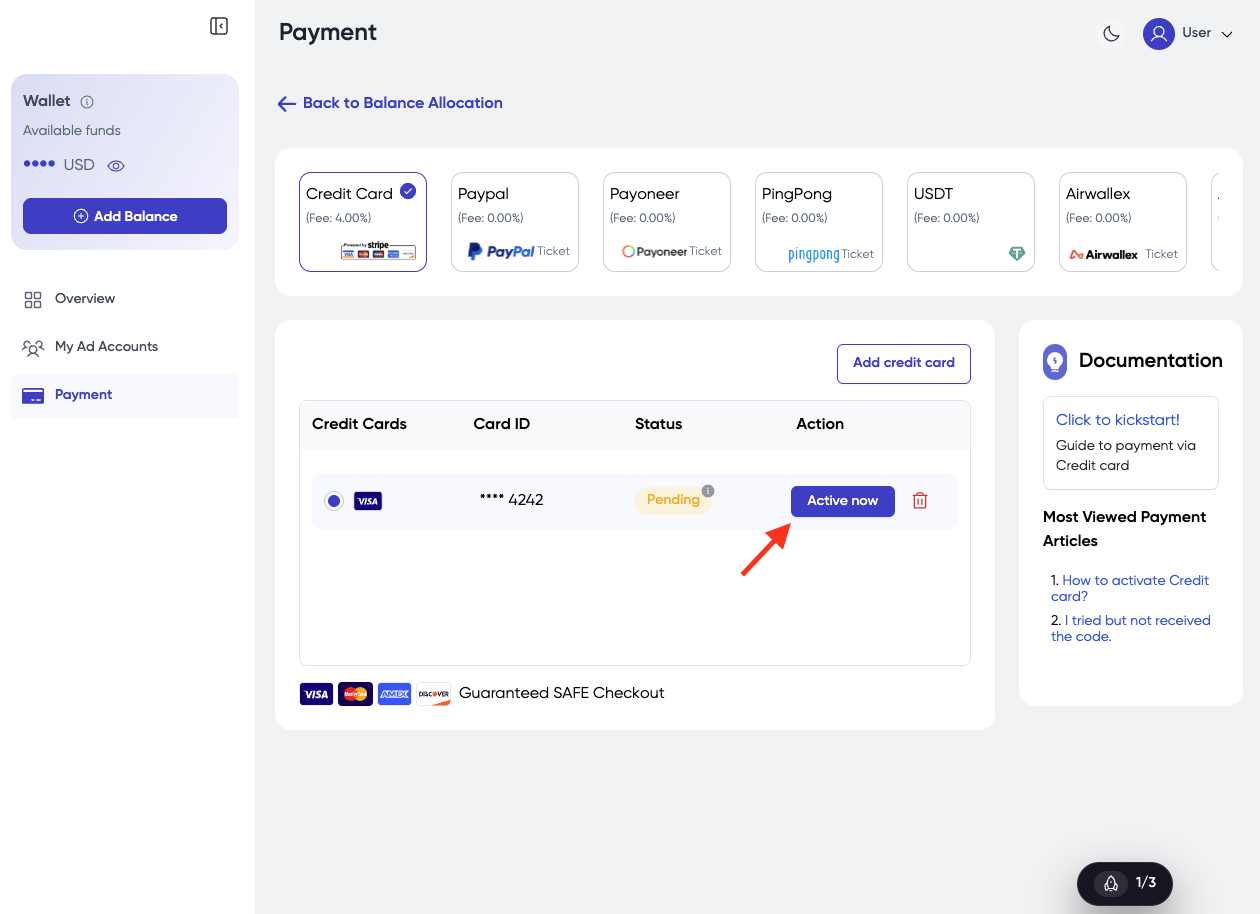
- After adding a credit card, its status may appear as Pending until verification is completed. To activate the card, click Activate Now.
-
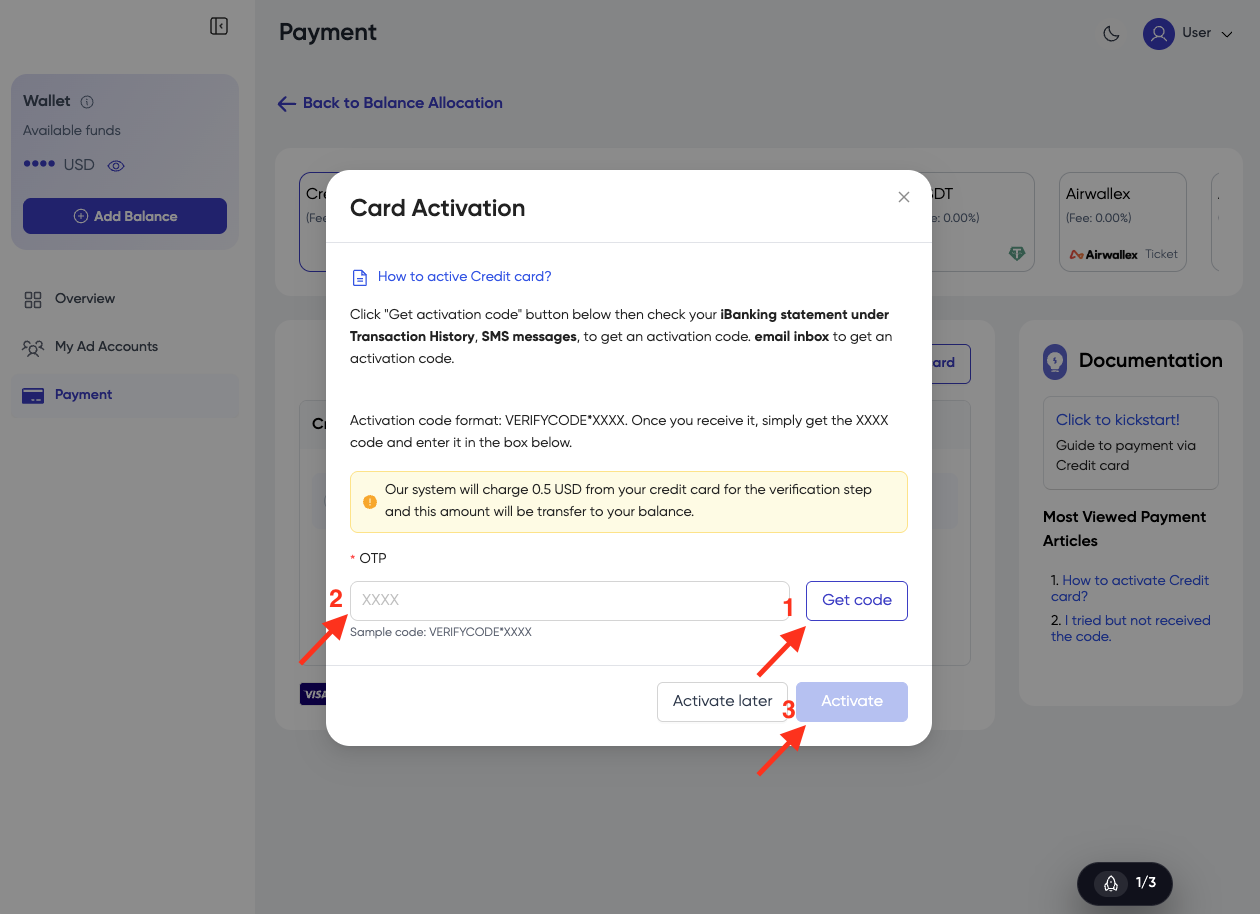
A Card Activation popup will appear, click Get Code.
-
Check your bank transaction history, SMS messages, or email inbox for the activation code. The activation code will be in the format VERIFYCODE*XXXX.
-
Enter the XXXX code in the OTP field.
-
Click Activate.
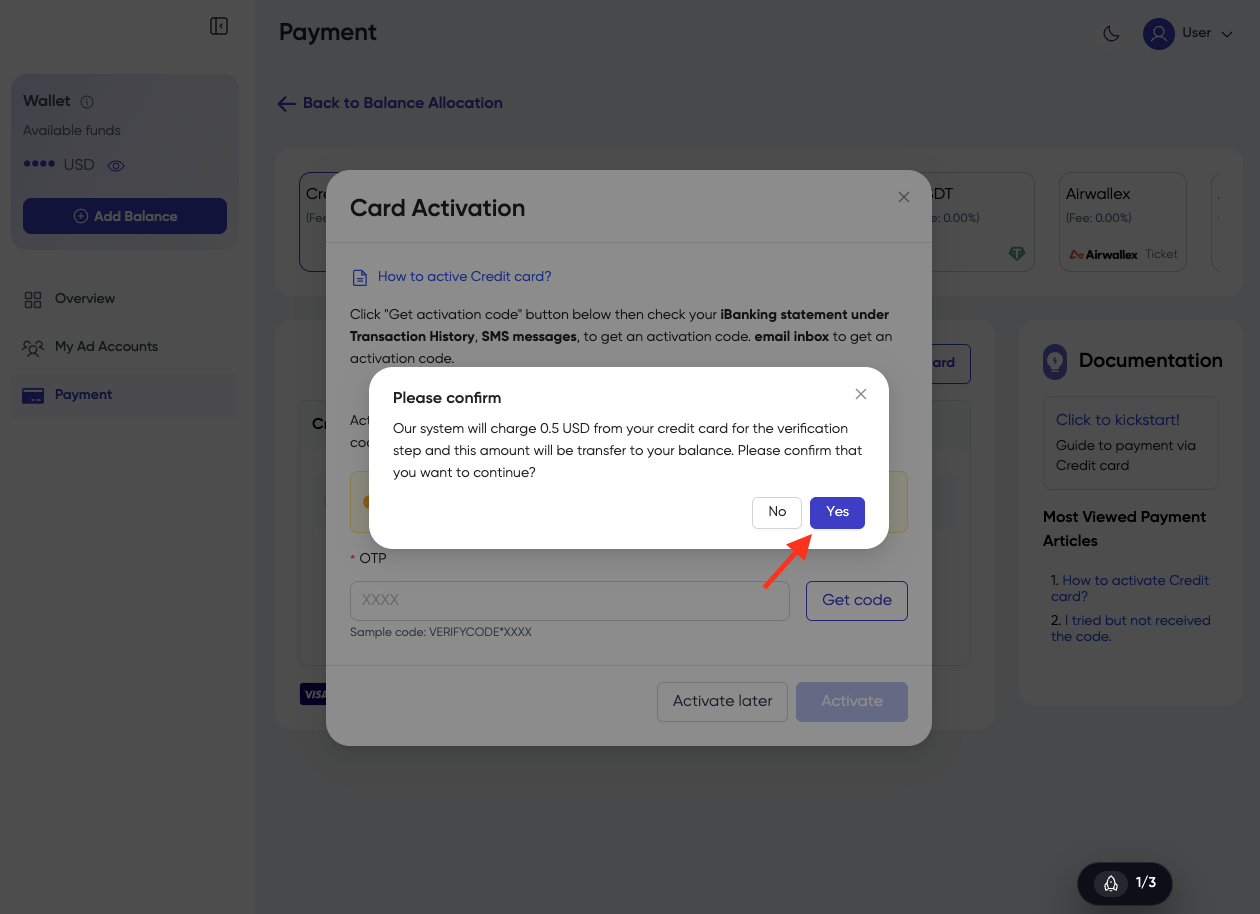
- A confirmation popup will appear, click Yes to continue.
- Once verification is successful, a success message will be displayed, click Close.
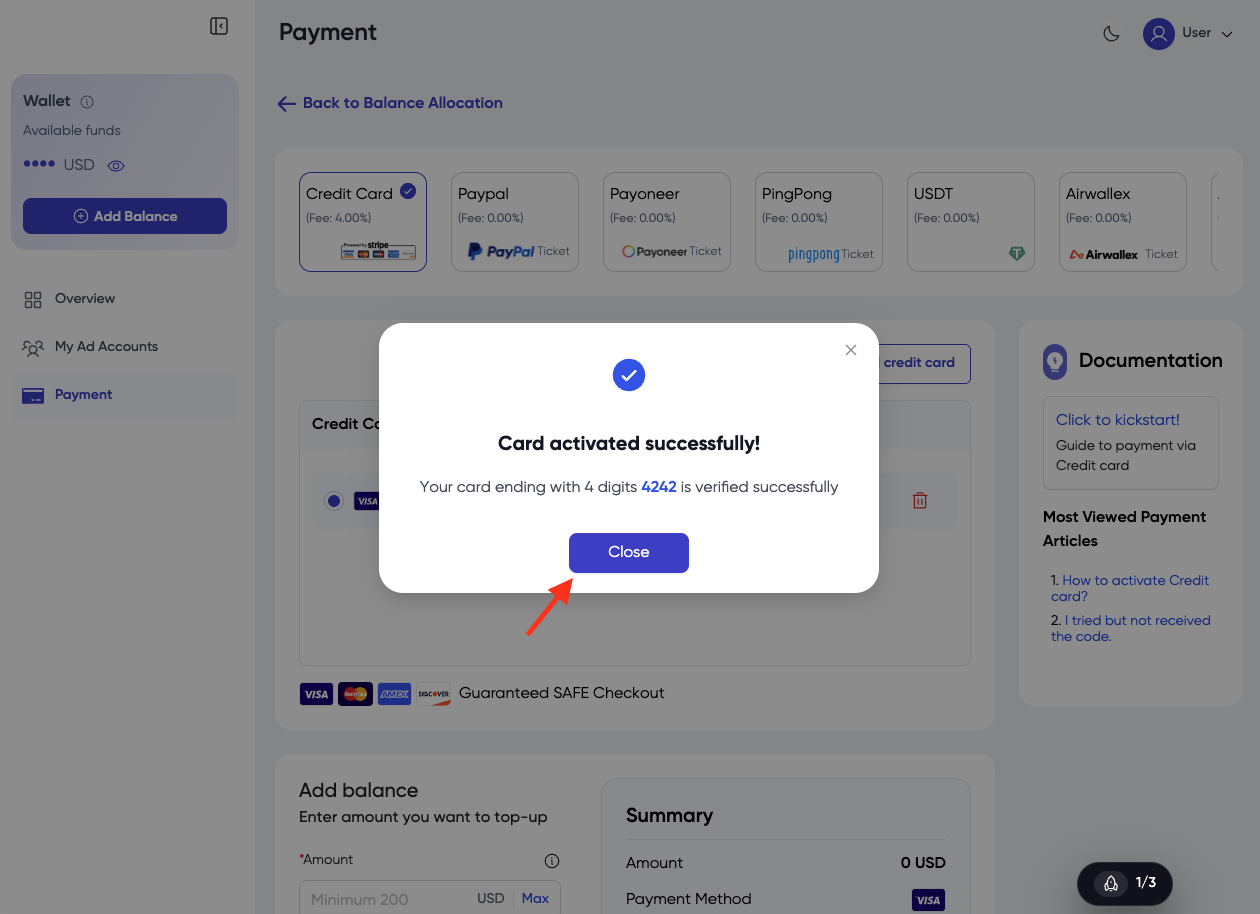
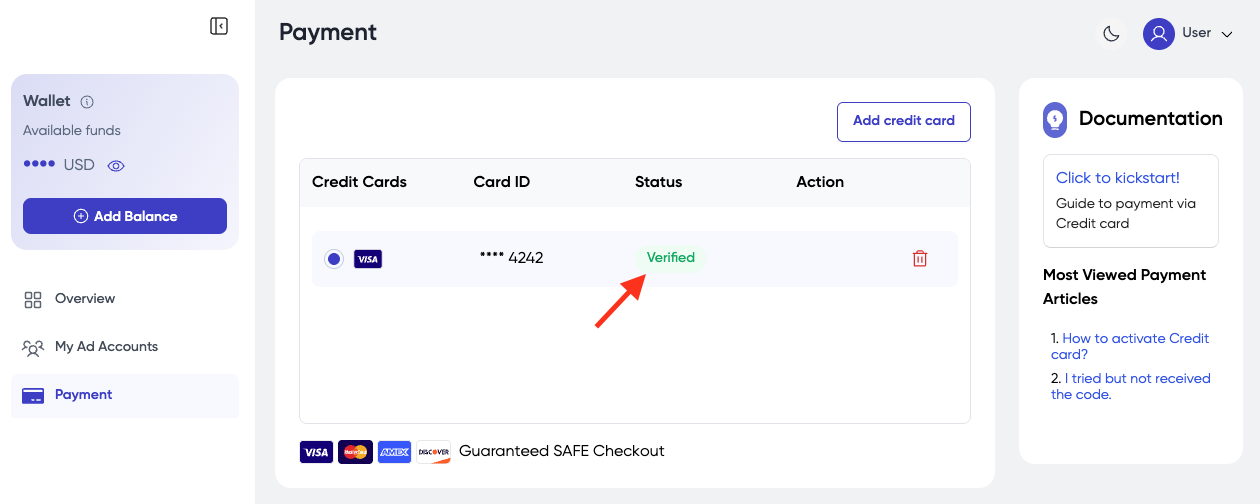
- The card status will then change to Verified.
2. Add balance by Credit Card
-
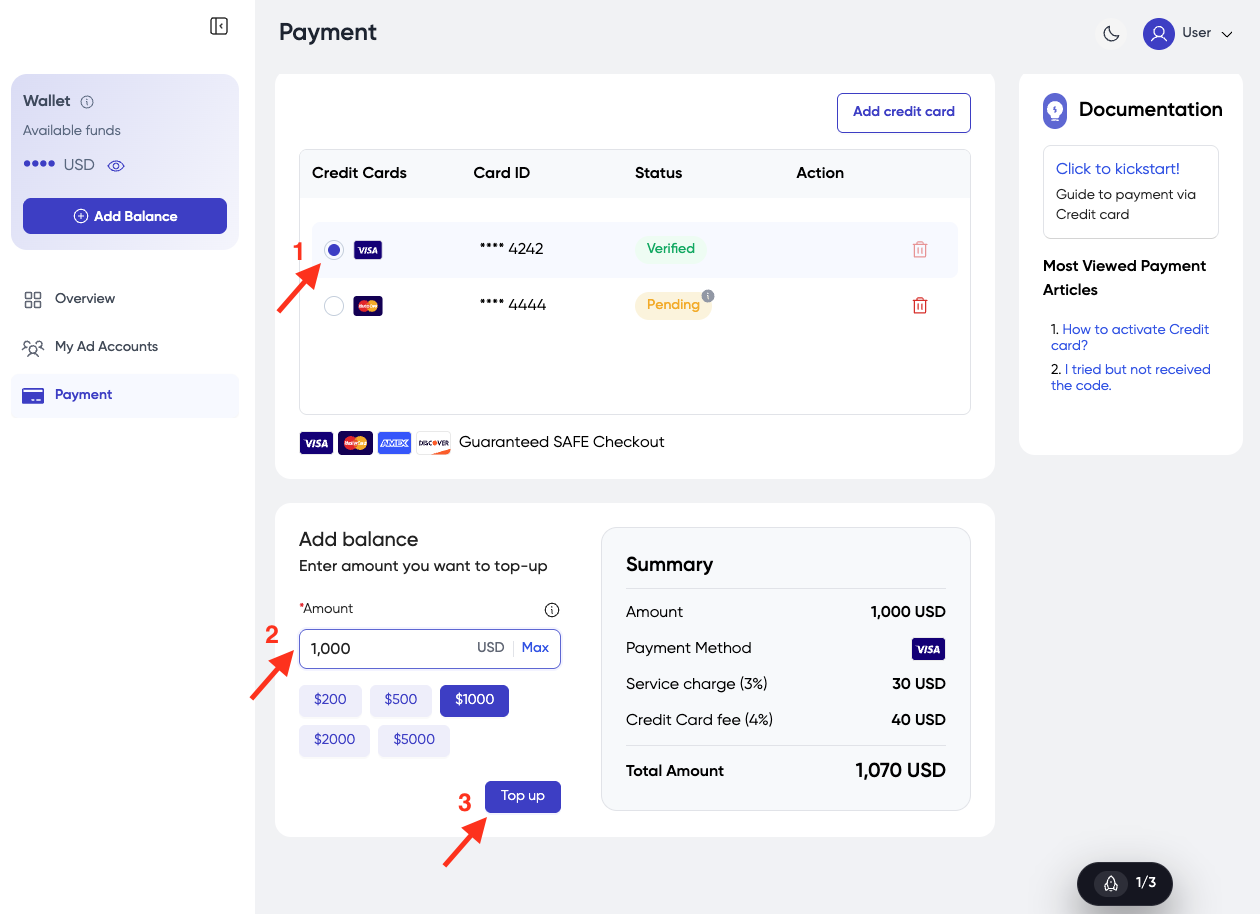
Select the credit card you want to use.
-
Enter the amount and click Top up.
3. Remove your Credit Card
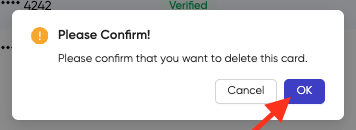
- If you want to remove the credit card from our platform, click the icon Delete.
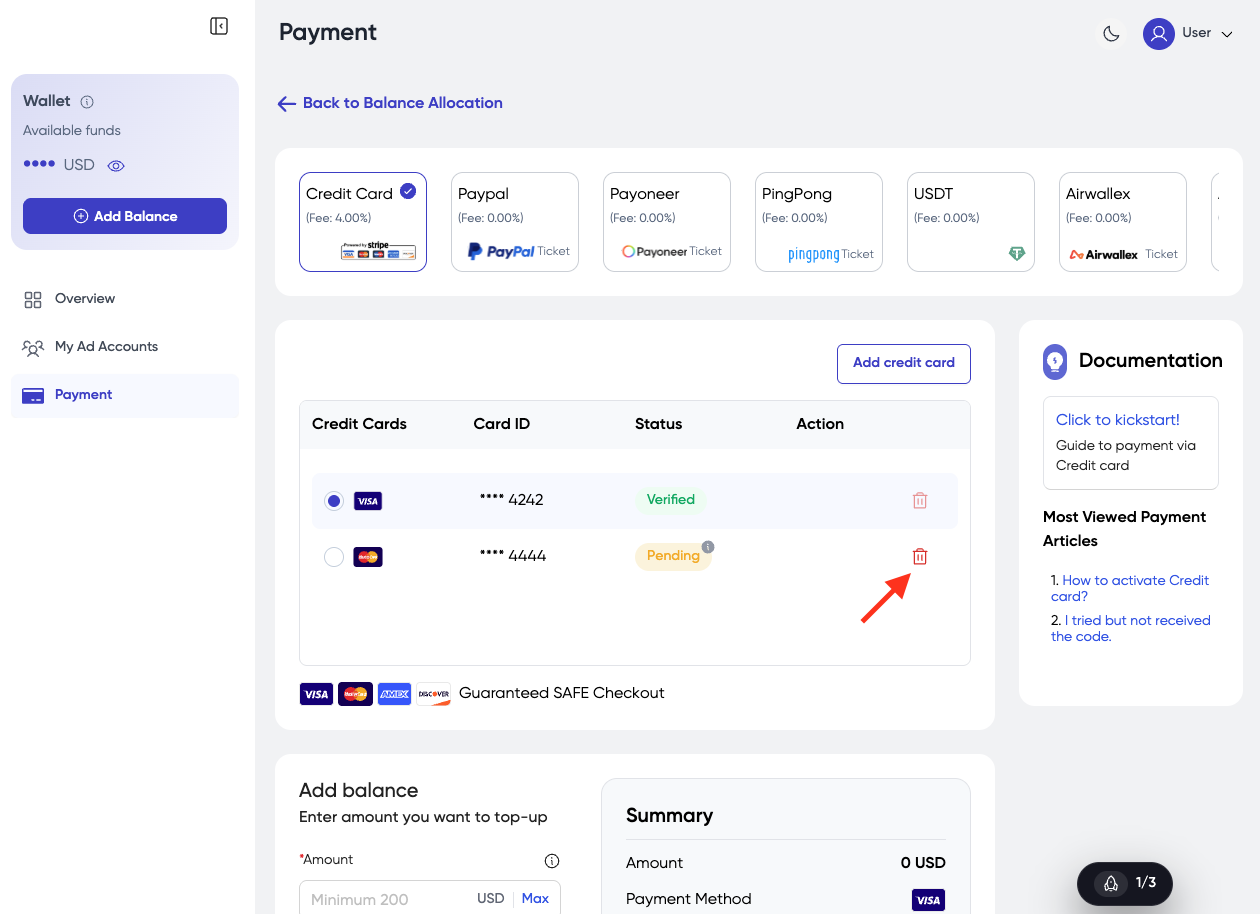
- Click OK.