USDT
Payment process via USDT.
- Click the Add Balance button and select USDT as your payment method.
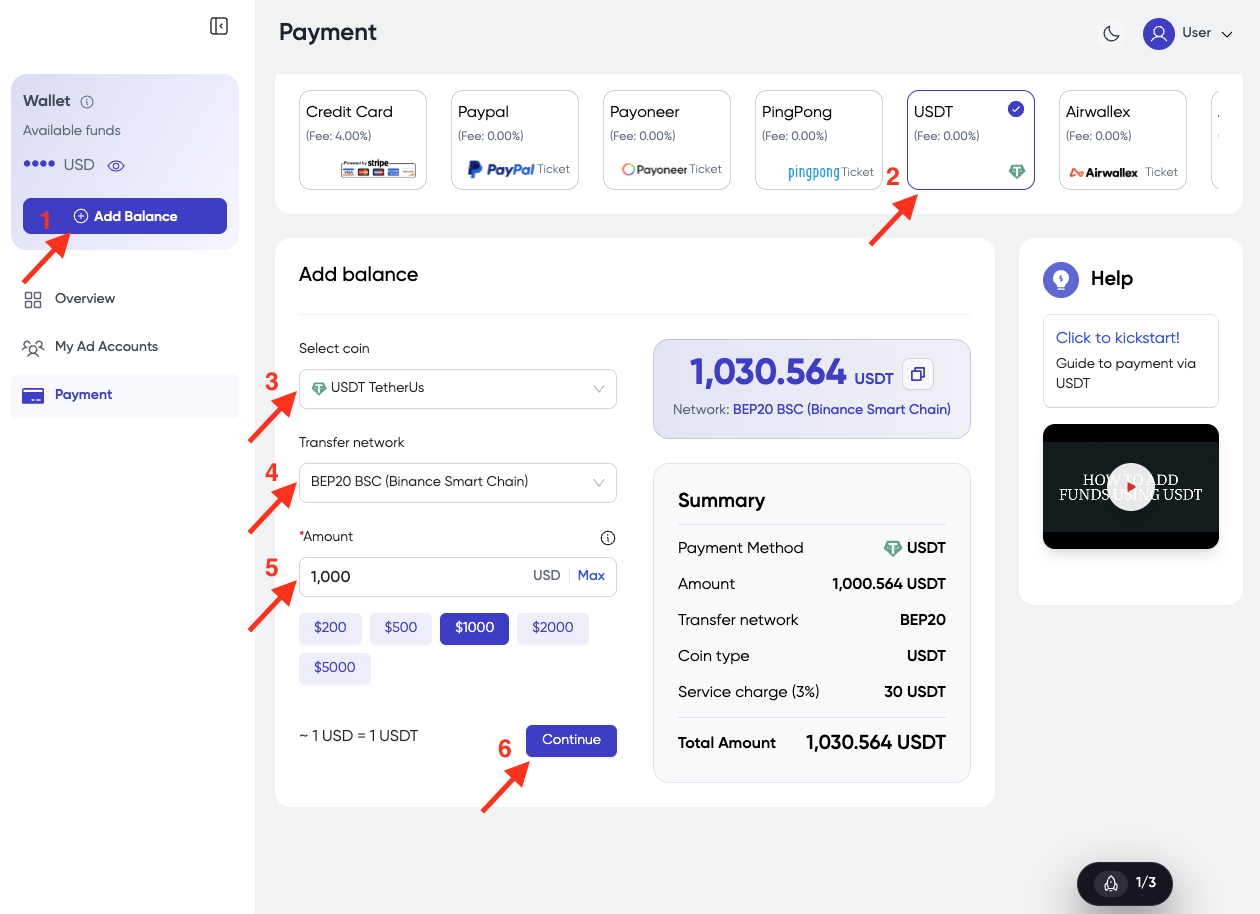
- Select Coin — Choose the coin you want to use.
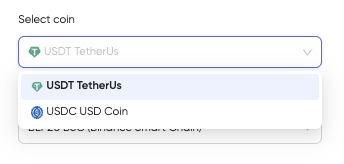
-
Select Transfer Network — Select the correct network.
-
Enter Amount — Choose the amount you want to add to the balance.
-
Click the Continue button.
-
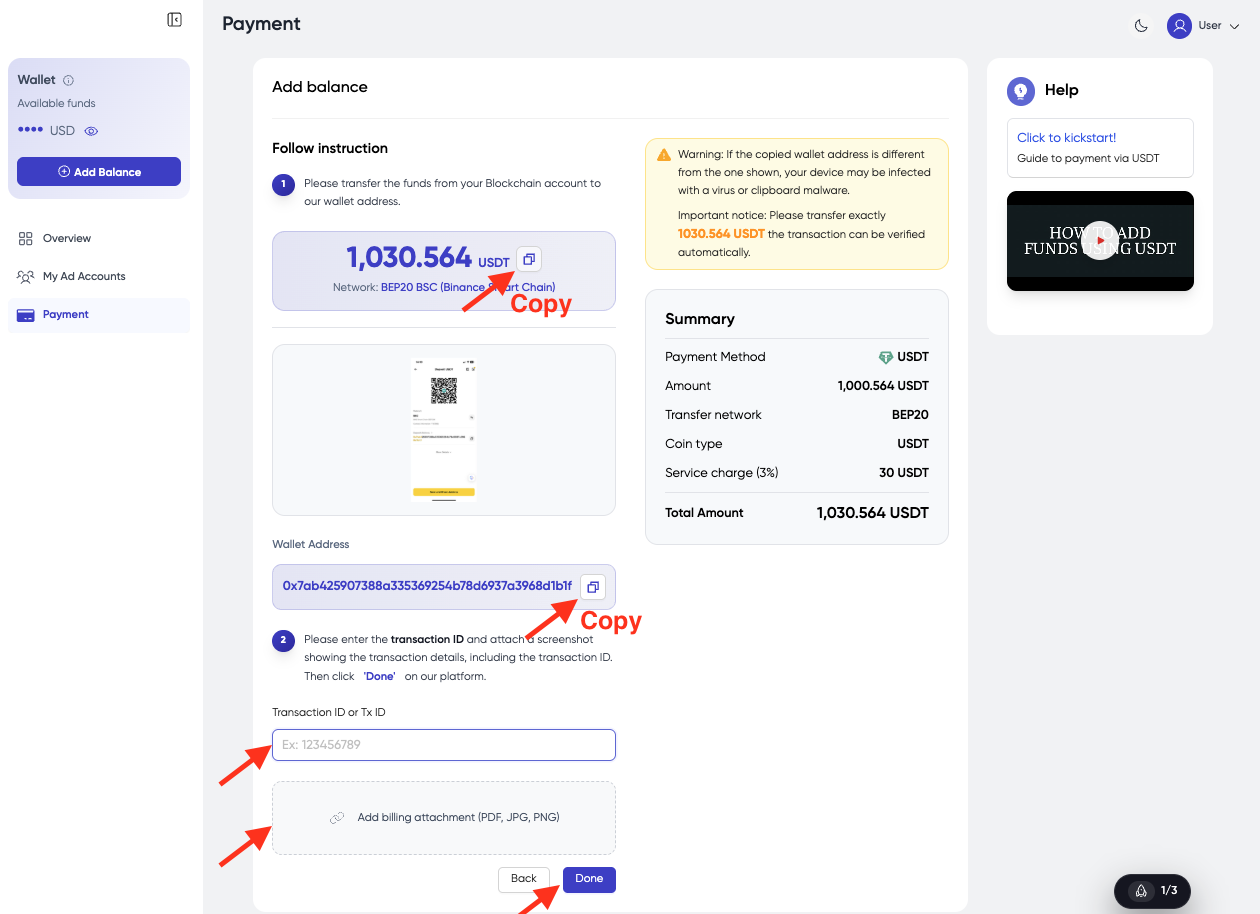
Transfer the money from your wallet to our wallet address. Please make sure to follow the information exactly:
- Use the exact coin you selected.
- Use the exact network you selected.
- Copy the exact wallet address.
- Copy the exact amount shown (DO NOT round it).
-
Once you complete the transaction:
- Enter the exact Transaction ID.
- Upload a screenshot of the billing/transfer as an attachment.
-
Click Done.
- You've successfully added funds. Please check your account balance.
note
If you encounter any issues, please contact your Account Manager directly for support.