Step 4: Money Allocation
Guide to transferring funds from your Wallet to an Ad Account.
1. Transfer money from Wallet account to the ad account
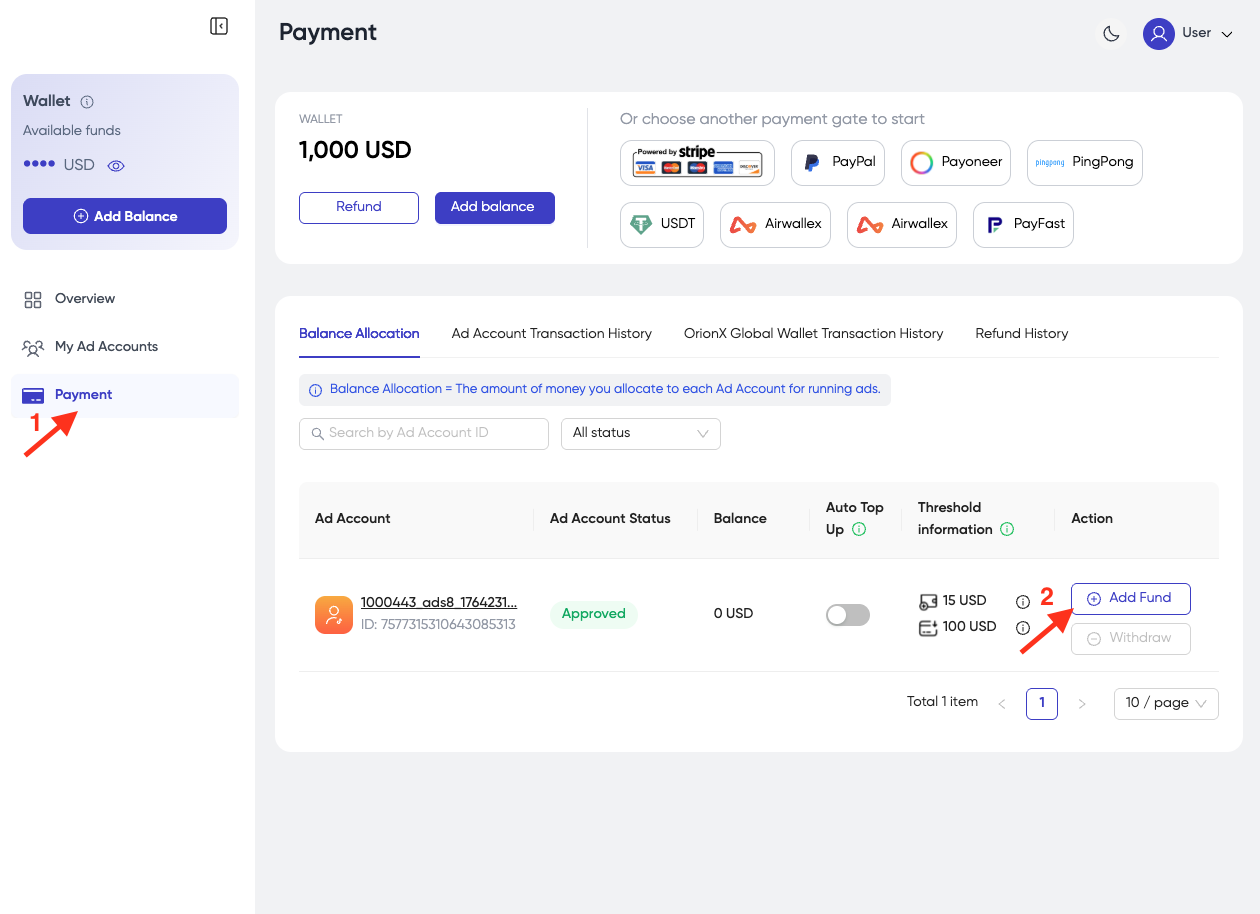
- Click Payment => click Add Fund in the ad account you want to add funds to.
-
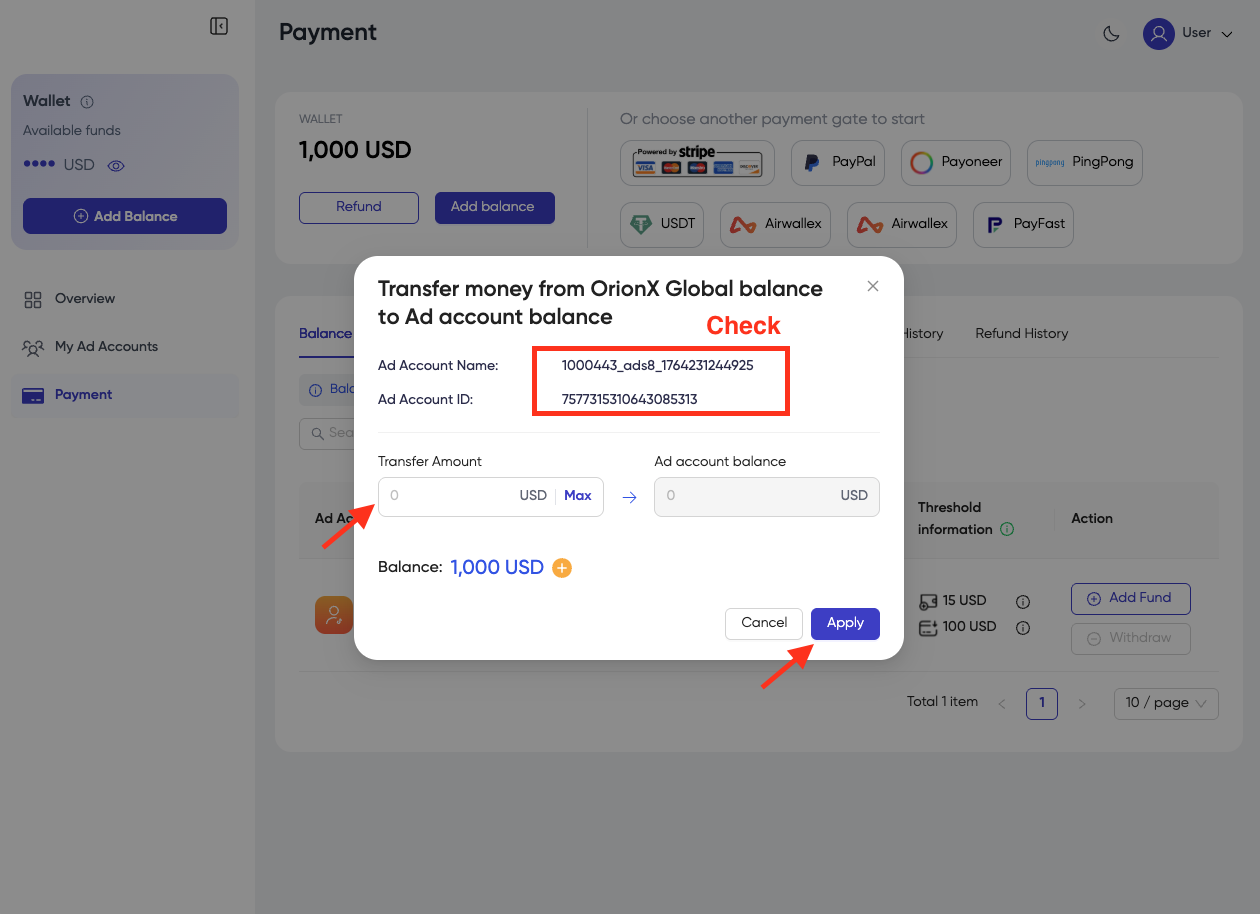
Check the correct Ad Account Name, Ad Account ID.
-
Enter the amount you want to add in the Transfer Amount box.
-
Click Apply.
-
After adding funds from Wallet to the Ad Account successfully:
- You will receive an email notifying you of the successful Add Funds to the Ad Account.
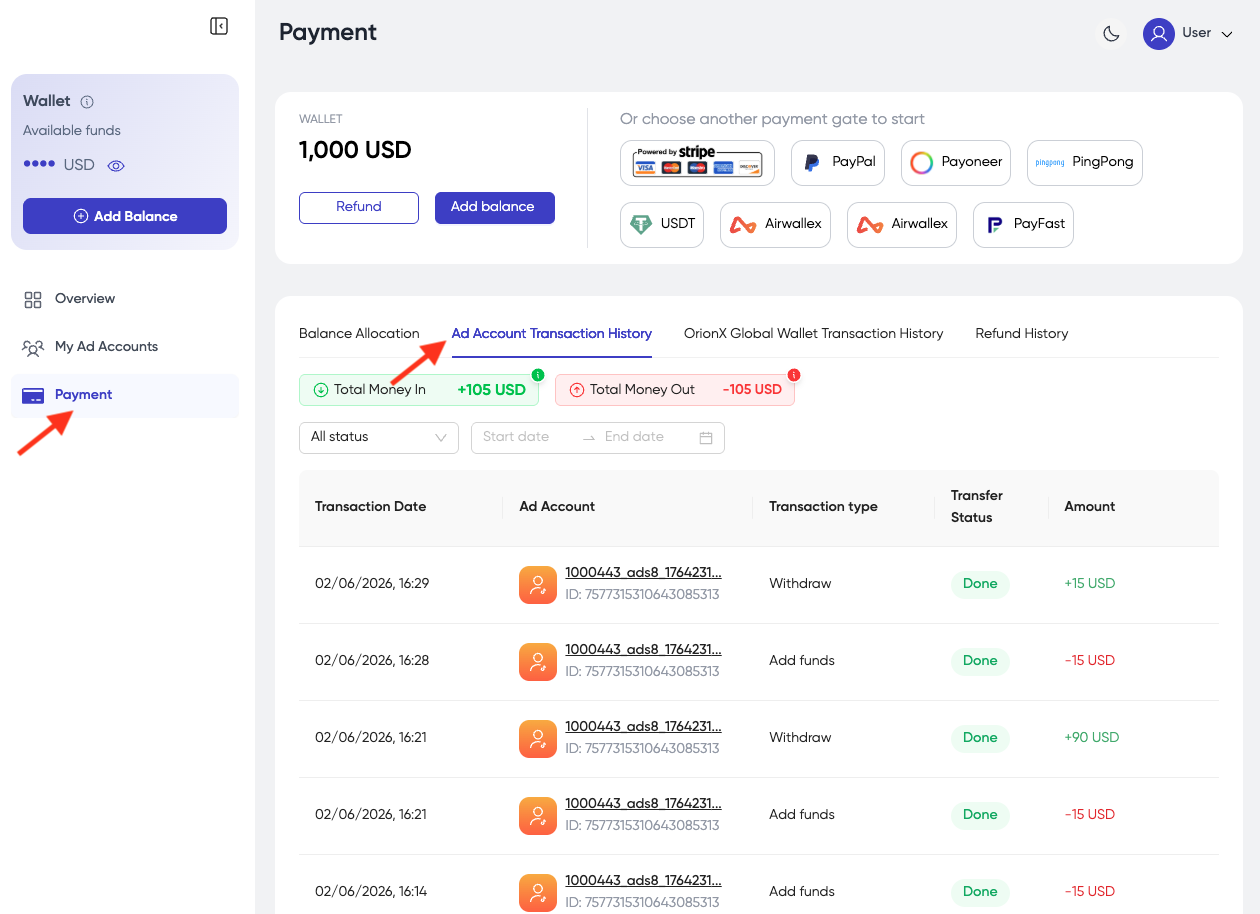
- You can check the transaction in the Ad Account Transaction History under the Payment tab.
2. Withdraw money from ad account to TPlus Global account
-
Click Payment => click Withdraw in the ad account you want.
-
Check the correct Ad Account Name, Ad Account ID.
-
Enter the amount you want to withdraw.
-
Click Apply.